
Connector's Game0.1 - Google Play
You'll be able to see results in few seconds.
Publisher Description
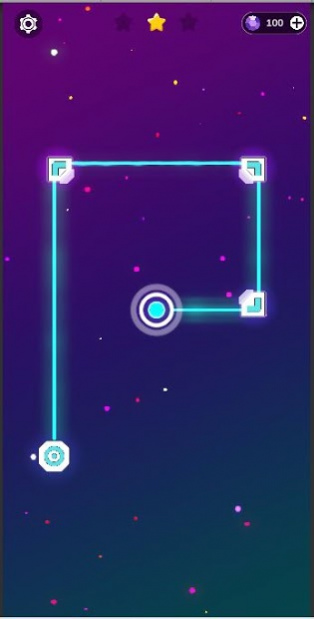


How To Play?
Tap on the tiles to direct the connect the circle . Bring laser to circle, fireup the stars to get more points. Figure out the way through the maze. Try different colorful skins. Solve special levels with hidden mechanics! Collect many prizes . Remember to use all elements: energy sources, mirrors, teleports and switches, but be careful of making infinite loops as things can become crazy difficult!
Features:
🆓 Free - The game is completely free. You don't have to pay anything to play the game.
🔥 Engaging - You won't even notice how fast time passes while playing Laser Overload 2. Connecting lasers, energizing batteries and powering up the grid will become your reality.
😌 Relaxing - Every minute spent on this puzzle game makes you more and more relaxed and entertained.
🧠 Brain Training - Practice your focus and rise your IQ by dealing with numbers of puzzles.
🖼️ Beautiful - The combination of 3D concept and 2D style brings the best of them. The game is literaly an art piece.
🔋Portable - No battery drainer. No WiFi or internet connection required. Play on the go everywhere you are.
About Connector's Game
The company that develops Connector's Game is SR studios. The latest version released by its developer is 0.1.
To install Connector's Game on your Android device, just click the green Continue To App button above to start the installation process. The app is listed on our website since 2020-11-04 and was downloaded 0 times. We have already checked if the download link is safe, however for your own protection we recommend that you scan the downloaded app with your antivirus. Your antivirus may detect the Connector's Game as malware as malware if the download link to com.SRStudios.CG is broken.
How to install Connector's Game on your Android device:
- Click on the Continue To App button on our website. This will redirect you to Google Play.
- Once the Connector's Game is shown in the Google Play listing of your Android device, you can start its download and installation. Tap on the Install button located below the search bar and to the right of the app icon.
- A pop-up window with the permissions required by Connector's Game will be shown. Click on Accept to continue the process.
- Connector's Game will be downloaded onto your device, displaying a progress. Once the download completes, the installation will start and you'll get a notification after the installation is finished.
Program Details
System requirements
Download information
Pricing
Version History
version 0.1
posted on 2020-11-04
Hello Everyone !
Disclaimer
Official Google Play Link
We do not host Connector's Game on our servers. We did not scan it for viruses, adware, spyware or other type of malware. This app is hosted by Google and passed their terms and conditions to be listed there. We recommend caution when installing it.
The Google Play link for Connector's Game is provided to you by apps112.com without any warranties, representations or guarantees of any kind, so access it at your own risk.
If you have questions regarding this particular app contact the publisher directly. For questions about the functionalities of apps112.com contact us.
